Dynamic Host Configuration Protocol (DHCP) assigns IP addresses to users and systems on a network. Attackers can add their own DHCP server to supply malicious network configurations and snoop on information exchanges.
MAC Filtering
Control whether devices with a specific MAC address can receive an IP address.
Open Server Manager → Tools → DHCP → IPv4 → Filter. Right-click Allow or Deny, then select New Filter.
Rogue DHCP Blocking
An unauthorized DHCP server can start serving clients on a network. DHCP server authorization requires the server to be in an Active Directory domain.
Open the DHCP console, right-click the DHCP server, then select Authorize.
Logs
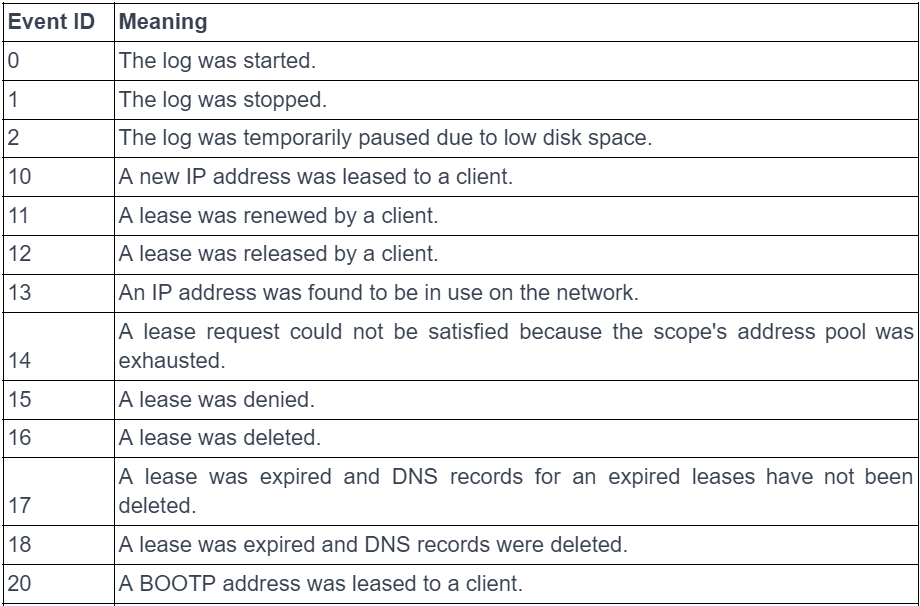
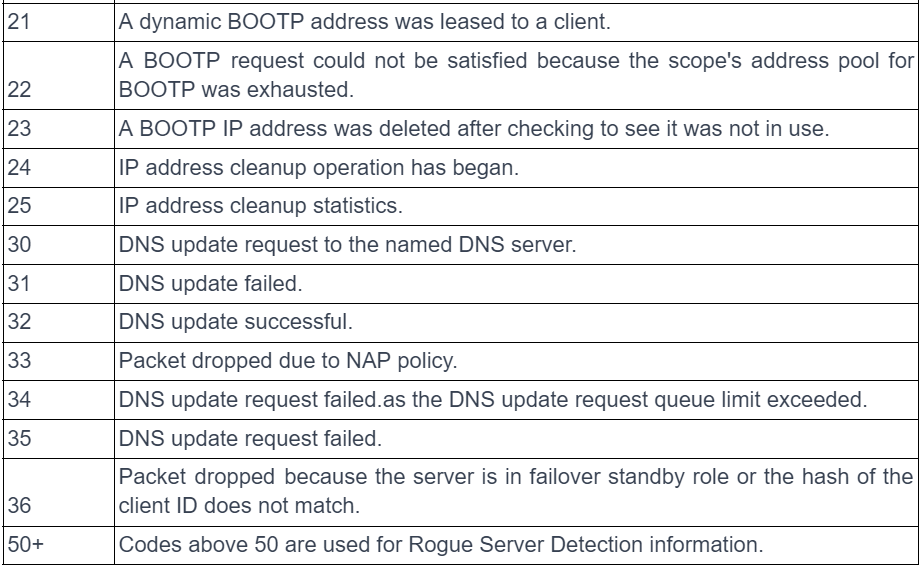
DHCP logs are stored under C:\Windows\system32\dhcp. Events to monitor: