Active Directory provides efficiency, security, and centralized management for organizations.
Default Accounts
Default accounts are created by the OS or applications with a unique username and password, such as Administrator and Guest. They come with basic security settings and frequently used passwords; create accounts for specific needs and disable or delete default accounts.
Authorized Groups
Domain Admins and Enterprise Admins are powerful groups. Ordinary user accounts should not belong to these groups.
Audit Policy
Audit policy monitors, controls, and records network events.
Open Computer Configuration → Policies → Windows Settings → Security Settings → Advanced Audit Policy Configuration.
Local Admin Password Solution (LAPS)
LAPS regularly and automatically manages local administrator passwords.
Open Windows + R → gpmc.msc, edit the relevant GPO, then navigate to Computer Configuration → Policies → Administrative Templates → System → LAPS.
Lockout Policy
Lockout policy prevents account access for a period after incorrect password attempts, slowing brute-force attacks.
Open Computer Configuration → Policies → Windows Settings → Security Settings → Account Policies → Account Lockout Policy.
Secure Admin Workstation (SAW)
A SAW restricts a computer to privileged administration, keeping administrator credentials away from everyday software.
Service Accounts
Service accounts support systems, applications, and services.
- Use a separate account for each service or application.
- Grant only the minimum required privileges.
- Change passwords.
Events
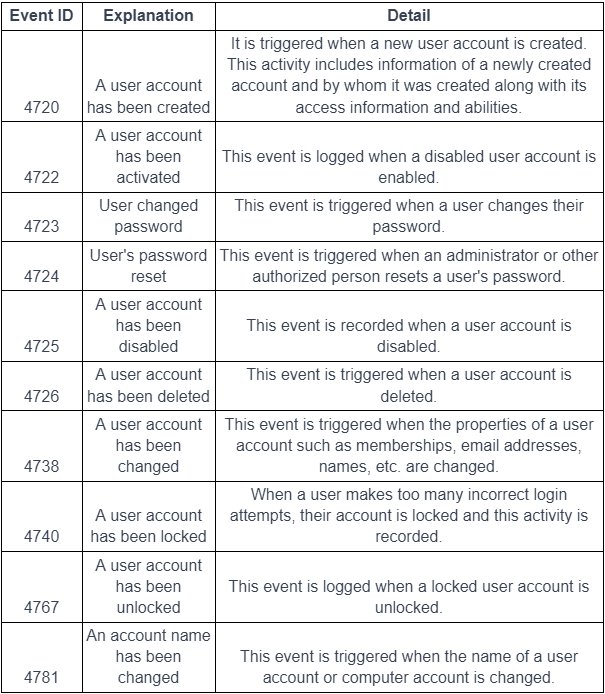
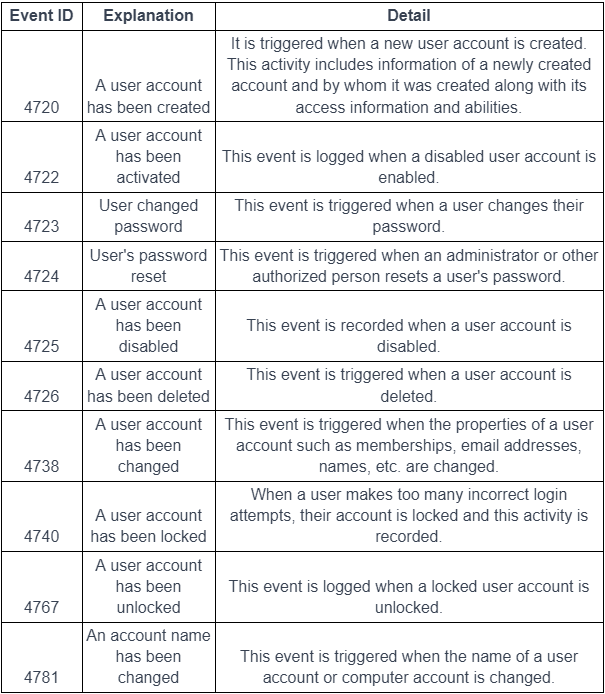
User Activities
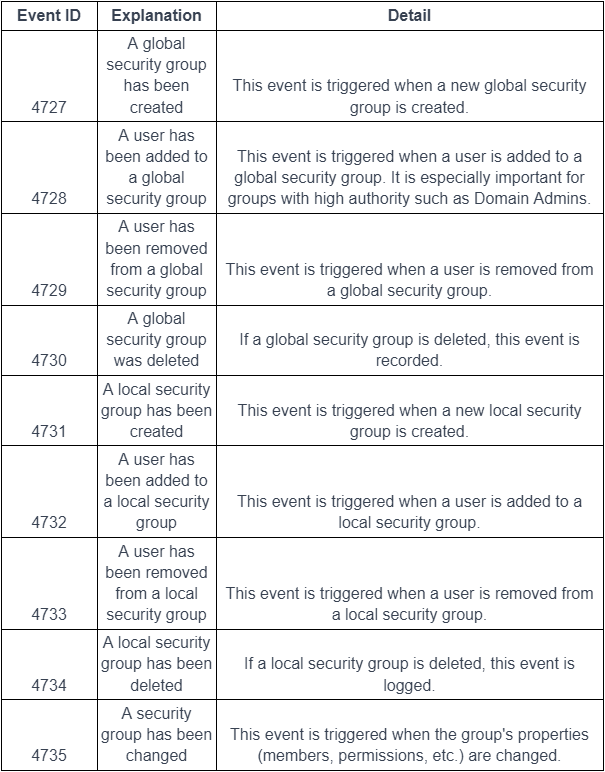
Group Activities
Local Admin Group Membership Control
Standard users should not belong to the local administrator group.